
Designing a knowledge portal people want to use
· 1 min read
Most knowledge portals are built for the people who run them, not the people who arrive with a problem.
In brief
Here is a quiet test for your knowledge portal. Watch someone with a problem open it. Then count the seconds before they give up and pick up the phone. Most portals are not bad. They are just built for the people who run them, not the people who arrive at them. They open on news nobody asked for. The search box is small and halfway down the page. The menus are named after systems and teams. And on a phone, half of it does not fit. The person arriving has one thing on their mind: their problem, and usually not much patience. This article argues that you should design for that moment. Put search first, big and obvious. Show the handful of answers people actually need most, not the newest ones. Use their words, not ours. Make sure the portal works properly on a phone. And always show a clear way to get help when the answer is not there. A good portal does not feel like a library. It feels like someone was expecting you. The test is simple and honest: if a person with a real problem cannot find a path to an answer quickly, they will pick up the phone, and the portal has failed them even if every article in it is accurate.
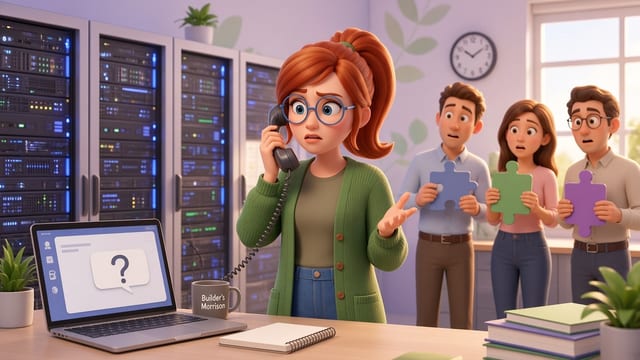
Here is a quiet test for your knowledge portal. Watch someone with a problem open it. Then count the seconds before they give up and pick up the phone.
Most portals are not bad. They are just built for the people who run them, not the people who arrive at them. They open on news nobody asked for. The search box is small and halfway down the page. The menus are named after systems and teams. And on a phone, half of it does not fit.
The person arriving has one thing on their mind. Their problem. And usually not much patience. So design for that moment.
Design for the person who has just arrived
- Put search first, big and obvious.
- Show the handful of answers people actually need most, not the newest ones.
- Use their words, not ours.
- Make sure it works properly on a phone.
- Always show a clear way to get help when the answer is not there.
A good portal does not feel like a library. It feels like someone was expecting you.
Next step
What would you change first on yours? Join the conversation on ESM's Exchange: https://exchange.esm.institute
Tags: knowledge management, service management, self-service, ESM
Join the Exchange free
Join free to unlock the complete knowledge library.
Founder membership is free for life
More from Esm
How should the service desk handle a Microsoft 365 outage it cannot fix?
4 min read
Deploying AI is the easy part: who runs it once it goes live?
5 min read
How do I compare help desk tool pricing before rolling it out across several departments?
4 min read
Turning 'not helpful' into a fix
1 min read
When the author leaves, who owns the article?
2 min read
Test after every change, or find out from users
1 min read
Related articles
How should the service desk handle a Microsoft 365 outage it cannot fix?
Treat a supplier cloud outage as your own major incident: log it once, tell people early on a channel that still works, update on a rhythm and review your dependency afterwards.
Deploying AI is the easy part: who runs it once it goes live?
Only a third of large enterprises have met the business case for their main AI programme. New research points to a gap in who runs AI after launch, and what leaders can do.
How do I compare help desk tool pricing before rolling it out across several departments?
Compare help desk tools on a full year's cost for your real agents, approvers and requesters in every department, not on the headline monthly price.
Turning 'not helpful' into a fix
'Not helpful' is free, honest feedback, and most of it goes nowhere. Turn that click into a fix.
When the author leaves, who owns the article?
Articles keep being read after their authors move on. Make sure the care for them does not leave too.
Test after every change, or find out from users
Knowledge changes fail quietly. A short, repeatable test after every change finds the problem before your users do.